
● episode #008
Cloudways: managed cloud hosting for Magento
Cloudways representatives show how managed cloud hosting launches Magento in one click and handles the server, caching, backups and hourly billing.
- published
- length
- 49 min
- language
- English
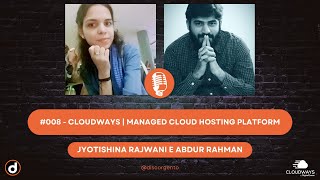
About the episode
In this episode, recorded in English, Ivan Augusto, known as CodeSlicer, interviews a company instead of a developer for the first time: two representatives of Cloudways, a managed cloud hosting platform. One introduces himself as general community manager, with around seven years in digital marketing and four at Cloudways; Jyoti, also a community manager, mentions more than four years of web development experience, mostly on e-commerce projects with Magento and Laravel.
They explain that Cloudways was founded in 2012 to take cloud server administration off the customer’s plate, and that it was acquired by DigitalOcean. In a live demo, Jyoti launches Magento 2.4.6 in one click, and the dashboard warns that the version needs PHP 8.1 and recommends a 4 GB server. The conversation covers choosing a provider (DigitalOcean, Vultr, Linode, AWS and Google Cloud), standard and premium servers, Varnish and Cloudflare Enterprise CDN, cloning servers across providers and hourly billing.
Then comes a tour of the dashboard: SSH credentials, CPU, memory and disk monitoring with up to six months of history, IP whitelisting for SSH and MySQL, scheduled backups, SMTP, staging, traffic and slow-query analysis, cron jobs, logs, free SSL, Git deployment and PHP-FPM and Varnish settings without the command line. Ivan stresses that the episode is not paid advertising: Jonatan Machado had already used the service and suggested the conversation.
Key points
- According to the company's representatives, Cloudways started in 2012 as a managed cloud hosting platform and was acquired by DigitalOcean.
- Cloudways is not a cloud provider but a management layer: customers choose between providers such as DigitalOcean, Vultr, Linode, AWS and Google Cloud, always through the same dashboard.
- In the demo, creating a Magento 2.4.6 app warned that the version requires PHP 8.1, and the platform recommended a 4 GB server for Magento versus 2 GB for WordPress.
- A server can be cloned to another provider, for example from DigitalOcean to AWS, carrying over settings, domains, cron jobs and access.
- Billing is pay-as-you-go, calculated by the hour: running a server for 15 days and then deleting it means paying for those 15 days only.
- The dashboard includes Varnish, Cloudflare Enterprise CDN from about 5 dollars, IP whitelisting for SSH and MySQL, local or off-site backups, staging, free SSL and Git deployment.
Questions and answers
What is Cloudways?
According to the Cloudways representatives in the episode, it is a managed cloud hosting platform founded in 2012 and now part of DigitalOcean. It is not a cloud provider itself: it manages servers on providers such as DigitalOcean, Vultr, Linode, AWS and Google Cloud, so customers can focus on the business instead of server administration.
Can you host Magento on Cloudways?
Yes. In Jyoti's demo, Magento is installed in one click, with no Composer or SSH, and the platform flags the requirements of the chosen version, such as PHP 8.1 for Magento 2.4.6. The recommended server size for Magento was 4 GB, and the dashboard hands you the store URL, admin URL and database credentials.
How does Cloudways pricing work?
According to the Cloudways representatives, it is pay-as-you-go with hourly billing: you only pay for the time the server existed, so using it for 15 days and deleting it costs 15 days, not the whole month. They also mentioned a three-day free trial. Off-site backups and add-ons such as premium support are charged separately.
How do you move a server from one cloud provider to another on Cloudways?
In the episode, the Cloudways representatives demo the clone server feature: you choose what to carry over (settings, domains, cron jobs, credentials, team access) and the target provider, for example moving from DigitalOcean to AWS. The same screen handles vertical scaling, such as going from a 4 GB standard server to an 8 GB premium one.
What monitoring tools does Cloudways offer for Magento?
According to Jyoti, the application dashboard shows traffic, top IPs and URLs, bot traffic, HTTP status codes, slow PHP pages, active MySQL connections and slow queries, cron jobs, and access and error logs for Apache, Nginx and PHP. Ivan Augusto also pointed out the New Relic integration.
Transcript
Generated from the automatic YouTube captions, so words and names may be wrong.
show the full transcript
0:00foreign Welcome to our eighth episode of the discorgento podcast and this will be a very special one because it's the first time we'll be interviewing a company instead of a developer I hope you guys find it really useful while searching for the company info I found some interesting service providing by then and also I'm sure that there will be some interesting sites here you guys will also notes on your daily work that now and then you get you you are using their blog maybe just donuts before but I noticed this after talking then there's
0:45some Magento very good Magento articles on their blog so probably you already heard about it already use it and that's it we will know a little bit more about Cloudways company today I'm here with Jyoti and abdur for those who don't know me yet I'm Ivan from Brazil also called CodeSlicer by my co-workers because I do a lot of negative coding and that's pretty much about it for those who don't know yet discorgento is a Brazilian Community but everyone's welcome we can also chat an English there is a Palestinian community on Discord to discuss about Magento memory but also other e-commerce related stuff so even with tax Shopify whatever is welcome
1:31all the links will be on description later both are our community and also for their blog their websites and let's get started so Jyoti abdur please and produce ourselves hey hey everyone so I guess I I would be the one to start with the session so this is I'm the community manager my general Community manager at Cloudways so I've been associated with the digital marketing world for around seven years and have been with Cloudways for around now been four years and so this is overall my experience and moving forward to my personal life um uh I'm a dad of two lovely son and
2:19love to spend time with my family and Military loved ones and moving forward we also have got a table tennis table tennis table in our office so whenever we want to chill out we love to spend our time over there chilling out and playing table tennis so over to you Jyoti now hi everyone this is Jyoti here from Cloudways and I'm a community manager at currently at Cloudways I've been working around uh four plus years of experiences around web development and uh mostly around the e-commerce projects like and Magento and with the customizations and uh the specifically into the e-commerce
3:04projects like Laravel as well so instead of this I have been currently working as a Cloudways being as a part of community manager and uh it's the main thing is that I would like to move helping around to the developers into the coding Solutions into the problems I would love to do that so that's the main motivation behind this instead of this um I would enjoy love to travel and then books so that's still my part let's proceed with the Cloudways nice sounds great so you guys have been on these marks for a few years it's interesting and also besides the e-commerce Club is also Embraces other kinds of software like I
3:50see you guys have a very customized WordPress with a really good performance out of the box Largo and other applications also so it's very interesting and then the first question of that comes into my mind when Cloudways started because at first I thought it will be a cloud service provider but it's much more than that so when it started why how it was created yeah so I'll take that question and so the cloud is initially was started by keep getting along with the group of Partners in that in the company and it's started in back
4:36in 2012 and before that what uh they used to do is that they used to offer hosting solution to e-commerce businesses and agencies and while moving forward they realized that there's a great potential in Cloud hosting and and also realizes that there's a quite challenges in managing the hosting and all the other stuff that come with the cloud hosting solution so they came up with a unique idea groundbreaking idea of a managed hosting solution currently known as Cloudways and started in 2012 and the main motive behind the starting the Cloudways or this company was to provide a platform for ease of service
5:21server management so that the users can focus mostly on the other aspects important aspects of the business and we can take care of the Cloud Server related issues and so that it's a they can easily manage their server through Cloudways and focus more on the other aspects of the business and just to add more uh we recently got acquired by a DigitalOcean and planning to grow even further so this is just a bit a little bit introduction of uh Cloudways nice nice sounds interesting so around 11 years more than a decades are rates I believe there's going to be a lot of
6:06stuff going on on this time nice nice okay and what kinds of services Cloudways provides like how it differs from habler clothes hosting provider well I would like the part to answer that question um that would be as you already know it's a manage solution for everyone it's like a non-techy person even can come around and launch their application so um the basic part is that the Cloudways offers a multiple kinds of other sub features like white listing IP listing and the management these are all the other features that we have provided I will go through the interface itself
6:52the Cloudways platform and we'll explain in detail that art so uh the best part is that Cloudways officed one click of installation of any application like insert and Magento PHP Laravel anything you can just click on one click and then your application will be launched so it's as easy as it is other than you need to provide any composer requirements any the SSH or terminal requirements to install any application you don't need to run any command interface and all that um but just you need to do what you need to Simply is click on application whatever you want and then your application will be launched is as easy as possible so what they can do is you go through uh some a bit of presentation like around the platform so it would be more easy to
7:39understand that sure that would be great yeah uh is it visible in just a seconds okay let me just spin the screen with there we go perfect so you can see whenever the user or the customer logged in so this is the interface around this uh the user will see the servers and there are some applications around there uh the shop where the Laravel or the Magento any application you want and let me just create up an application I will choose that existing server but other the last when a new user comes
8:24around uh he or she will need to create a new server as well so this is uh the most exciting feature that we have highlighted at any WordPress the clean cache the multiple versions you can install on uh the platform the WooCommerce anything any application you can just click around there something like the custom application the Laravel and the Magento itself so we're going to choose just the testing purpose okay uh so thing is that adding 2.4.6 that requires you can see that
9:09highlighting the man error around there any application if you go through this so it's highlighting that requires PHP 8.1 and 10.6 and elastics are 7.1 so we could use a different server so what I do is changing the server it's as easy as let me just select the server select then Magento 2.4.6 I'll be just creating a new server
10:06and then you can service any provider like DigitalOcean Vultr Linode or this as well so we're just going through the DigitalOcean First yes if you don't mind start to interrupt but just to highlight this is what I find really cool about Cloudways like you choose your service provider very easily yeah yeah that's uh the main best exciting feature around here so it will take around some minutes and the lab application will be launched so basically what cloud is offers is that they offers the freedom to choose any of your providers Data Centers of your choice so it's more about Freedom with Cloudways
10:51yeah really interesting they're very practical awesome Developers for this you can choose any water I need a note and you say uh you can check if I select WordPress and automatically is recommended server size would be 2GB and if we selected the Magento it will be automatically recommended so it would be 4GB so you can choose any of your server let's see yeah
11:39okay I believe we can go ahead while the service being created so meanwhile yeah because we will also be a good moment to discuss about some of the features that you all support like how you handle security Pharmacy stability scalability or to change servers like I'm only know today and I want to migrate to this devotion how this is done and things like that uh yeah uh I guess I'll take that part and uh related to the performance so what Cloudways offers is a Cloudways offers uh the two kind of servers for like I'm talking about DigitalOcean so there there are the premium servers and
12:25the standard rentals so the standard ones are normally for the applications or for the sites that do not require much computational power like blogging sites and those stuff and if you would talk to me about the e-commerce sites and uh the website that needs more computational power so for that we recommend the premium servers that has high computational power so that you do not face the issue in the performance and along with that we offer the Varnish cache or Cloud Cloudflare CD and Enterprise version so these one is radished Technologies what makes the servers really fast along with that we have got a own stack so that stock what does that is that it offers all the
13:11prerequisite of the applications pre-installed in your complete server so you don't need to worry about any stack performance or optimization of the stack that's already done for you guys so these uh so just I'll also get to you over the service packs so that you can see the differences what's up yeah so let's try with the testing part so here you can see that we have got two kinds of server one is the general 4GB server and the other one is the premium one so
13:57like let's suppose I want to move to an 82 server so here is the option uh either I can select normal standard 8GB server with code processor or the premium one uh which is definitely the codes are much faster the machine is much faster so this is just about the performance and you you just ask ask of us how if you want to move a server from uh like let's suppose let me move through the service section so here if you wish you want to migrate to another uh like suppose from DigitalOcean to any other application so what
14:42you can do is that you can clone the server so it's gives you complete access uh how you want to clone what you want to be grown like settings domains supervised job credential team access ible for now what I'll do is that I'll enable all along with the settings and then proceed foreign the server or either on the AWS Google Cloud or even you want to clone on a DigitalOcean so that's totally your choice so
15:27you just have to select the like collectible current tips on DigitalOcean I want it to be moved on an AWS and the resources and then simply click click on the Clone server and my application would be grown to an aw server AWS server so this is how simply easily you can easily clone your server or you can install your application that's totally your choice foreign at the bottom because this is something that sometimes surprises on the end of the mock because we had some code providers has some not
16:14very clear pricing yeah so the Cloudways will work on a pay as you go model so for the time you have used the resources like and let's suppose I've used to own the server for 15 days so I'll be only charged for the 15 days and after that if I delete the server then I'll be only charged for 15 days uh not for the complete month or so our pricing model mostly works on an hourly basis so how many hours you have used for how many days you have used and we will calculate the pricing based on that and send you guys again for the monthly amount for that it's nice
16:59okay I Believe by now the server may also already have been created come on Jyoti did the serve installations already finished yes just one minute left okay okay not sure sure okay so far I just want to be sure for everyone listening because this was something new to me Cloudways is
17:45basically a cloud host Hub not a provider um the way we are used to so just to be very clear with everyone listening this was something totally new for me I didn't even know something like that exist to be honest AWS like Amazon that you have seed uh Google Cloud the options are there and anyone can select here is it uh interesting to go around how the cloud visits for you sorry
18:30I'm just asking is it uh good to go for you to understand the how the Cloudways is is it interesting to you yes so far I found it really useful if you won't share anything else go ahead but so far it's clear to me so have you uh tried previously uh that we have just like three days free trial as well not yet I research uh bits uh both on articles and also on YouTube videos YouTube channels and it's super handy there's a free trial I don't know if two three days uh there's a periods of free trial it was easy enough I didn't try it by myself but I saw others doing that and it was really
19:15handy really quick okay so uh at the end of the podcast of the session uh you also uh mentioned something about discorgento as well a mission what about scratch about uh like yourself and the company itself the discouragement too and the module itself you explain something around about this as well or not uh I work mostly as a developer on my first company I also did a bit of devops there but this was like seven years ago there is quite some time already I don't work directly with the servers on discorgento itself I'm mostly uh
20:01Tech contributor now and then I work as a co-host also but mostly I'm a workout as developer now both for my company and also on discorgento provide some modules and other stuff so there's some time I don't work with devops directly but it's still something that interests me right there so I guess uh I can also give you guys an overview of the platform uh how Cloudways other features of the Cloudways how how are the other features what are the other add-ons we offered so if you wish I can show you the other features of the Cloudways too
20:47sure please go ahead sure so here we we just talk about the Clone teacher and moving towards our main dashboard so the basic uh the dashboard what offers is that it offers the complete visibility of the complete platform just the summary kind of thing like totally I've got currently three servers uh five applications and this is just an overview of my applications currently hosted on Cloudways so let's first start with the the server side uh how does the server in Cloudways actually look like what are the features in the server thing
21:33so the first thing is the master credential so the this is the first thing because when a user log into the platform what it needs it needs a credential to access the server so there are two ways to access the platform audio server it's either through the SSH public key or by launching an SSH terminal you can here you can see that you have got a sense terminal option so you can access your server directly or via a third party tool like PuTTY or something where you can are these Master credentials and easily access your server through SSH so this is just the credential part and moving towards the monitoring so we all are
22:19very much interested into the monitoring of the server so here you can Define or it shows the basic summary of your server so my current server has around 4GB of ram out of which 1.76 CB is used and CPU usage is around seven percent so and this space is around 50 uh 15.38 GB of measure server is used and moving into more details of my server related thing so I can set the details and show see the graph of my application or server so here you can see that for how long my server have been ideal so it's showing me the graph of an on an hourly basis so if I wish I can select
23:05it for 12 hours even for a day or up to six months so this is showing you the server performance of Ideal CPU usage for the six months use and moving forward I guess system is a bit hung Ry yeah okay and it's interesting because it's a unified interface so no matter the cloud
23:51hosting the interface will be familiar always that's good yes also I was just remembering you were sharing your screen and I remembers what am I I was doing some research I saw that you guys have some optimized versions of Frameworks uh how this works or okay so uh related to the optimization optimization part what we can do is that we offers the optimize optimize Magento WordPress WooCommerce applications which are already pre-optimized and further if you want to optimize those applications what you can do is that you can enable the caches like Varnish analytics and even CDN so
24:38we have got enterprise Cloudflare Enterprise CDN so you can use that at very minimum cost of a start from around five dollars so and moving forward as you do a model so this is just few of the optimization features which we offer nice guys so moving forward these are just the ideal CPU usage and moving to the back end of the server I guess the screen is stuck over here
25:27thank you yeah that's what I was talking about that all the prerequisite are already pre-installed in your application so here you can see that all the managed services like Apache Elasticsearch beam cache are already pre-installed so if you want you can enable few of the service or even restart or disable few of the service like Varnish cache if you want you can disable it or like Nginx you can restart it so it's totally up to you uh how you want these managed services to work and moving forward we we have got this settings and packages
26:13thing there we have got these basic settings of the servers so here you can Define all the basic settings and if you wish you can make those changes in your servers and moving to the advanced part so just showing how things are in Cloudways platform so just to give an overview of the platform foreign
27:03key factor is what we offer to our customers that they can easily manage their servers or servers on their own uh without any additional cost and and focus on the real aspects of the business that brings really grow their business so and these are the security features so what Cloudways offers is that you can Define the IP addresses or whitelists the IP uh to whom you want to give access only so here you can give access to only few of the IP address that you want to give access to your servers and the same goes uh for your MySQL so these are just some of the security features of the Cloudways uh so yeah you can
27:49Define the whitelist IP for your MySQL database and moving forward we have got vertical scaling which we have already discussed so I'm not going much into it and moving forward then we have got automated backups so if you wish you can make the backups on your own either you want to make an off-site backup so that's a that's definitely charged and if you want you can create a backup on your current server and when you want to take the backup how you want to take the backup at what time and what's the duration you want to take the backup so that's totally up to you you can Define the hours minute frequency on the month sorry under a week for uh for the backup
28:34so it's totally up to you that either you want to create a local backup or an offside backup so it's totally the user needs and if the user one they can also start up the SMTP the mail service for the servers if they want to send the emails or have got emails through it they want to send through their current servers so they can even start up the SMTP through Cloudways so this is just the basic overview of the Cloudways platform uh the server side so so just want to know your feedback how do you like the platform uh how what's
29:20your thought behind it uh so and if any comments related to 81 well just what I already said so far like it's very practical it's very easy and welcome also before if you are a junior developer you're starting your career this is very easy setup but also do it to how easy it is to escalate the application this definitely is also something to consider for medium or if you're big projects so it's very handy overall uh great uh yeah good to know that you have got more clarity or got the concept behind
30:05it so yeah this is what exactly Cloudways does it uh it offers the ease of server management and moving forward we have got the application section so can you please uh take this floor and let us go through the application side of the seven let me just share my screen
30:51is it visible yes we can see the browser okay uh so let me just go around the application part that that's the new server has been created and there we go with some new application that we have created so you can see uh the automatically application URL the admin panel is being generated you can just go through it that's the front end part of the application okay that's much easier I'm sorry yeah sure that's much easier than doing everything from scratch even locally yeah exactly you can see this database
31:36name username password and the admin panel username password is always written there and if you want to change you can change it there as well and if using the command uh admission to admin command you can just go through it also as well so these are the application credentials that's the IP address of the application has been located and you can see there you can add SFTP user as well the SSH user as well so we can just provide some limited credentials to the users as well this is the admin part of lubrication and this is the front-end part of the application so um if we just go through around the application Level part first you can see
32:22the security as is the biggest aspect right nowadays so if anyone wants to go through the security this is the block and anyone can check around there see how the Cloudways comes around with every part of the security that's the five volts in terms of any bot production or in database security or any SSR certificates user roles and even can manage of these things right there coming around with some the application Parts you can see we have some staging management you can just launch any staging application once you have been tested on there so can you move into the production part before taking life so uh although this is uh the staging domain that the Cloudways
33:07automatically generated around the platform so anyone can use it this is the staging domain also but if you wanted add your application then you can just select a server and then added your application as well then we have some monitoring application monitoring you can check the analytics like traffic part how many traffic is it see this is the top IP requesters that had been access and the bot traffic and although you can filter out along with the timestamps as well like 15 31 over
33:53also URL requesters you can see so far so good and very very easy to manage yeah exactly how many URL requesters has been accessed somewhere we can check that any URL uh any blog URL or any URL has been headed around the application somehow that comes around when uh the hacker wants to add some blog code or into some URL has been continuously being hitting so you can just go through and check there how much request is has been done also uh you can just go to the status codes as well like uh we have some 404 or 505
34:39request codes stats courses https course and you can just go around and check there see right now it's 200 only sure and also there was the New Relic integration I saw at some point so it's it's fairly easy to debug stuff going on yeah exactly and uh so now we have some PHP applications around there uh see there the Clusters PHP Pages the resources so these are the top requested Pages at the PHP itself whenever we want you to come the Ajax request or whenever we uh around the jacket the widget resource or
35:25page is coming from so you can just check there and then we have PHP processes right now it's no data available although we have newly application launch and you can counter there how the slow pages are there um like the category page or the product page itself uh the more requesters are coming around so the probably the chances are the pages are running slow so you can check out there directly oh this is also very useful because now and then you may have these categories with a lot of stuff going on and the emails on the website exactly
36:11and then we have my SQL part also uh you can check the active connections are there how many connections have been connected to the MySQL and these low queries as well uh so the best part is that when we have providing some FTP access or the database access to someone else so you can check around there how many users are currently active there so you can just slow queries as well there uh the error part is there some um like Magento itself when the high much of amount of products are getting there so you can check the uh the queries is running slow and the products fetch running slow so it's just automatically encountered there
36:56then we have running crones there are not currently any Grand job active but you can go to the crown job tab management and then create any Crown job if you want some third party application to be integrated like payment gateways or any kind of third party order Management Service you can just create your own career Cron job there how much minutes hours or days if you want there well that's very handy also because I'm thinking about There is almost you can do almost everything from the web interface itself like you don't need to ssh in the server to do minute stuff
37:43yeah exactly you can just do not need to set up a timestamp or any SSH access to connect there in the setup of grown so um as part we have already covered with the staging management so you can just go their domain management and then you can just add your primary domain or in the production domain after the staging at the application is tested all around so you can just add a domain there and just implement it so far we have the logs there also the access logs and the error logs see there are the Apache access logs it's been all been rested there if any
38:30errors come around you can directly check there if it is Apache if it is an Nginx or if it is PHP as well foreign
39:20yeah right now things are very clean because it's a new instance but this get fit really fast with Magento exactly and then we have the free SSL management uh like uh the ones you do not need to pay for it initially and you can just create a free SSL certificate around there if you want later on uh you can just pay it there for your own applications if you want to chooses for the custom SSL and if it is around your custom SSL if you purchased somewhere around so you can just go through and then configure here as well then we have a backup and restore part uh you can just create any backup and
40:06you can just restore there from as well and oh yeah then we have a deployment on git we again so that's the best part you can do is that uh you can just deploy your application you can just configure your application via get there uh they'll get repository should be like gate or SSH Keys around here you can just uh get SSH keys there
40:51and if you have some remote addresses deployment accesses you can just easily deploy it there so this is the application settings part uh we are the Varnish cache and the hcps production SSH access all these things are come around one thing interesting part is that it shows you the where the application has been located see the Webroot is public underscore HTML you can just uh edit at that as well if you want to deploy your application into your sub part as well or if you want to give some FTP access to some other users you can just restrict the user folders as well so
41:37there you can come around and then we have default email address this is the default the users generated but you can change it accordingly so this is the folder by default where the application image is installed around the server every application that you will install the server uh the directory folder name would be different and this is a PHP fpm settings you can just check your settings around here you can just change your input user input name Max size upload size if you want to just check here and upload sizes as well maximum of the variables these are the basic variables that you need to uh change also if you want that and there it comes with the water
42:22settings that you can configure there that's as easy as it is you don't need to run any command here add new this exclusion as well the URL and the values for the Varnish cache then we have under Enterprise Cloudflare itself uh just fastly CDN then we have manage BFF and then image optimization then it was production all other things are available there so just need to configure with your domain this is a testing domain so we can just enter your testing domain there and if your live domain you can just enter your domains and enable it
43:11great great thanks for the overview of all the features that's some interesting stuff like me and my friends now and then are always talking about how we have built a lot of stores over the years so sometimes we have the idea of why not have our own store selling I don't know whatever products and I guess uh Cloudways will is surely uh his candidates for hosting because it's really handy you don't need to worry wait anything really so thanks for the overview looks really good really good and just be sure for anyone watching this this is not any kind of paid advertisements on the other is the complete opposites when Jonathan taught me about it uh hey
43:56there's this Cloudways company here and I was like well I never heard about let me search first and then the Hub the club the cloud Hub thing came on and all the stuff and I thought okay no this is cool we can share this this is worth it so I hope you guys really enjoyed seeing this so far and is there any extra stuff we somehow didn't discussed yet so how far you have liked that application part as well yes it's very simple to use very handy so I guess uh
44:41sorry to add one more thing that we we also have our add-ons so if you wish you can have a support if you need the premium support and or Gmail SMTP so these are the add-ons page so if you need any of these add-ons uh other than our services then definitely you can get these or add-ons with Cloud S2 so just want to highlight this part books so I guess that's all okay okay good thanks so I guess that's it uh on the presentation of the platform where can we find more info about Cloudways for those interesting besides
45:26the blog which has Magento content so we definitely share this one completely like you have the YouTube channel the blog where people can find more I don't love this yeah so you'll find multiple ways or multiple things together tab on the Cloudways related information so the first thing is the YouTube channel uh I guess can I share the link over here uh so that the people uh uh you want me to show this link over here in chat
46:12no uh I will be sharing the links on the description of the video later it's just to everyone also there's the YouTube channel there's the blog there's the website yeah okay so we do have our YouTube channel where we do these kind of uh like uh since we are currently now featured in your webinar so we do these kind of webinars on our YouTube channel so we we and also highlight our product features and those stuff on our YouTube channel then we have got our KV or knowledge base where most of our cloudless features or how to use those features are highlighted other than other than that we also have our website where you can find most of the information related to Cloudways features just the basic code basic overview of the of our features and
46:57those stuff and more than that uh What uh people really likes us about Cloudways is our blogs our blog is generating most of our traffic are coming from the blocks so our blogs are very good on source for people to know about our platform or about e-commerce or what what's all together is happening in the industry so our blog is a good way to learn about the cloud and in the industry and other than that many other features are highlighted on the blogs and we try to keep our blog updated and provide our user with most of the information from the industry great great also I took a look on some of these webinars for those interesting there's even Magento specific contents
47:42there and it's worth it like when you recommend using a pin or whatever there's some questions I've been doing to different developers on the area so it's useful also I'll be sharing this on our community definitely so from my side I guess that's it if you guys have anything else to share feel free otherwise all the links we discuss so far will be available in the description for those interests like I said uh the blog special the blog and webinars are probably something of interest from anyone watching this because there's a lot of e-commerce related stuff there I guess that is so
48:29let me just also do the ending here uh thanks guys for participating it was a pleasure to have you here you are the first company we're interviewing I hope everyone watching this enjoyed so really the value on this stuff because I found it really interesting I haven't heard about a hub called services and John also had already used your services he said it was like no they're they're good you can show them so thanks thank you very much for participating both of you Jyoti Abner thanks for everyone watching so far all the links will be in the description both from discorgento from Cloudways so you can find Marine Corps and that's it see you guys
49:18thank you